Case study
AttendX
A class register that fills itself, and can't be signed from the hostel.
- Role
- Solo. Design, web app, mobile app, and API.
- Timeline
- May to Sep 2026
- Platforms
- Web app, iOS and Android (Expo), REST and WebSocket API
- How long each QR code lives
- 5s
- Classroom zone a scan must come from
- 100m
- Cheating patterns flagged for review
- 6
- Roles, each with its own view
- 3
On this page
The problem
Taking attendance by hand wastes the start of every lecture. A sheet goes round a full lecture hall, friends sign for friends, and someone types it all up later. Reading names out is slower, and it still doesn’t prove anyone was in the room.
I wanted the register to take seconds, and to make signing for someone else harder than just turning up.
What I built
AttendX has three roles, and each one sees the same register differently.
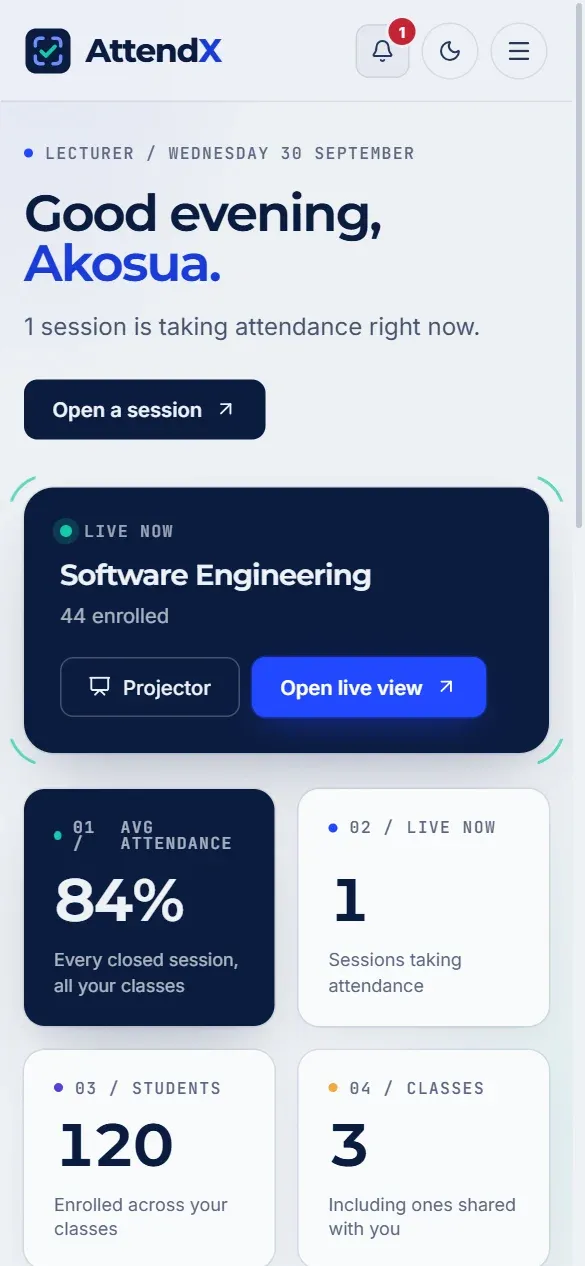
- Lecturers open a session, or let the timetable open it for them. A QR code goes up on the projector and changes every five seconds, and names arrive on their screen as students scan. Each class has its own page with every student’s rate against the minimum, and any student can be opened for their full record. Lecturers can share a class with co-lecturers and teaching assistants, who get only the powers their role needs, and they can export attendance as a grade.
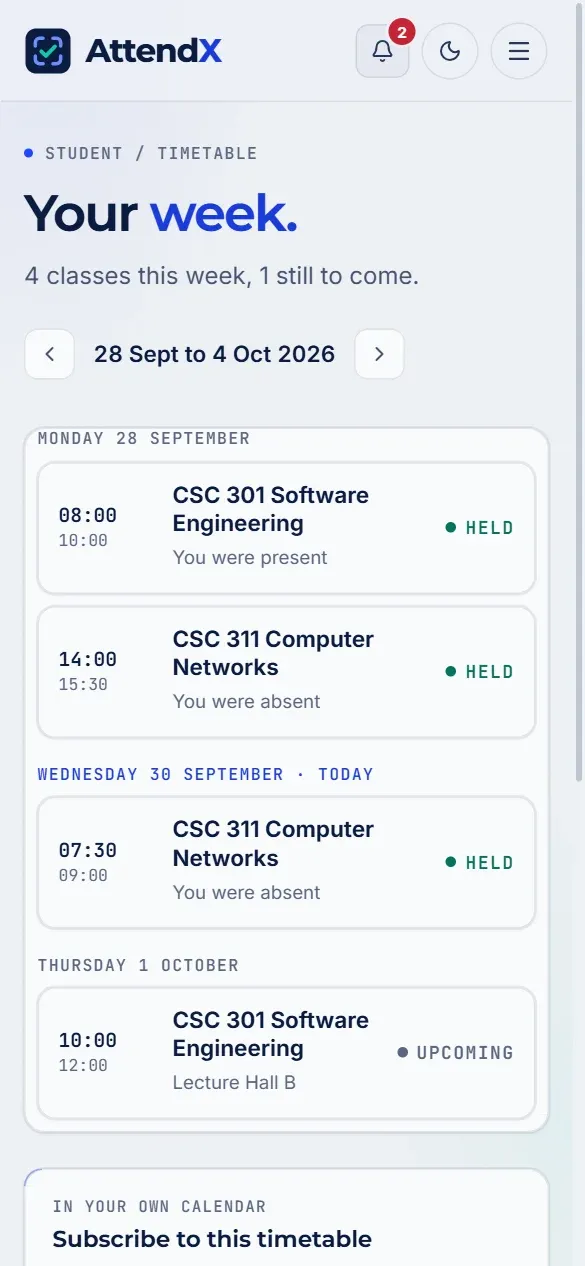
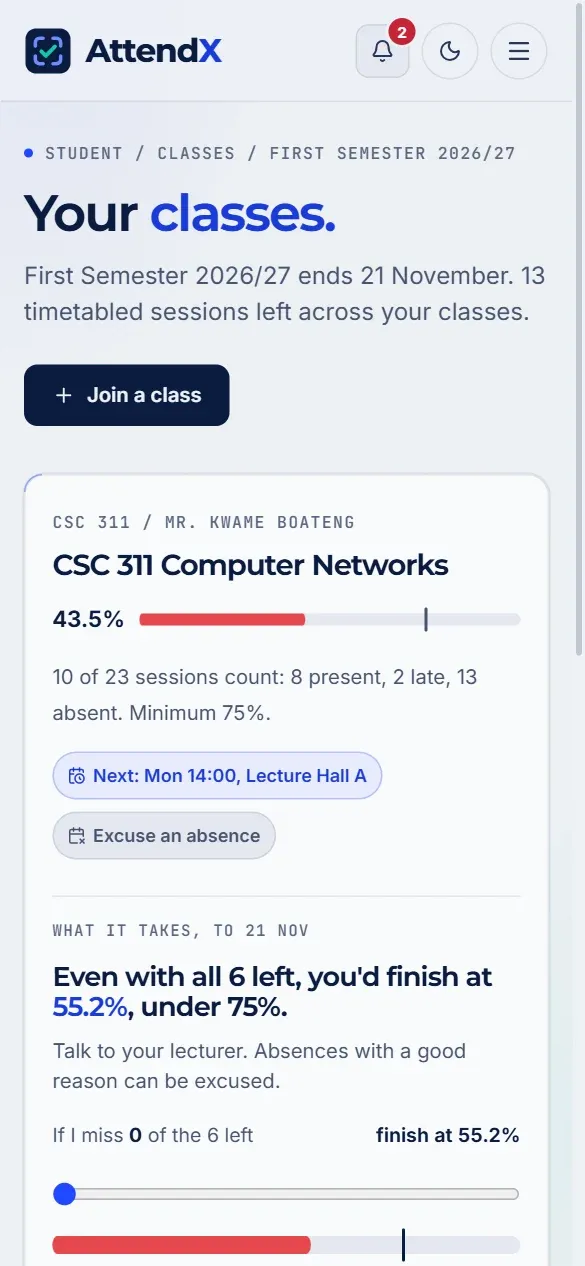
- Students scan from their seat with the mobile app. A planner works out what each class still needs from the sessions left this semester. Their timetable shows how each class went, sends reminders, and can be subscribed to from their own calendar. They can ask for an absence to be excused, appeal one they think is wrong, and download an attendance statement.
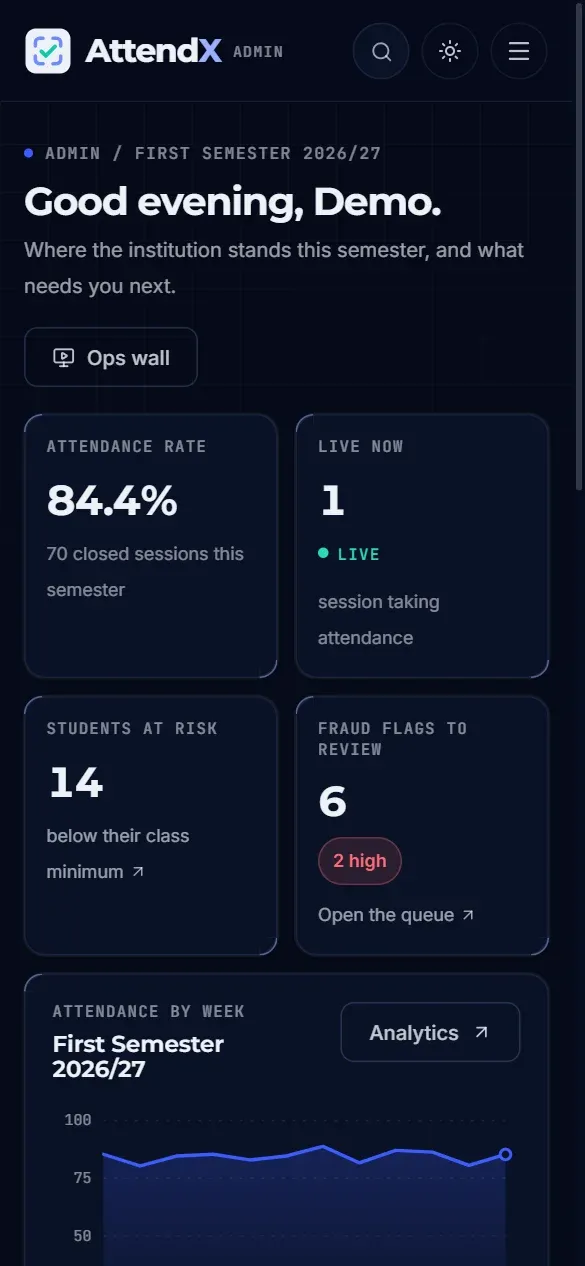
- Admins get a separate console for the whole campus. It covers an audit trail of every sensitive change, bulk import of accounts from a spreadsheet with emailed invites, a fraud review queue, analytics with a PDF report, an academic calendar, announcements with read receipts, and policy settings. There is a command palette for getting around it and a live wall for a big screen.
Making it hard to fake
The interesting part of attendance isn’t recording it. It’s making the record mean something. Every scan has to pass four checks:
- The code is fresh. Each QR code works for five seconds after it appears, plus a two-second grace period, and each new code ends the one before. A photo sent to the group chat is out of date before anyone opens it.
- The phone is in the room. The scan carries the phone’s location, and the server measures its distance from the classroom. A scan with location turned off is refused, and so are coordinates that can’t be real and a mocked GPS location on Android.
- The phone belongs to the student. Each student is bound to one phone, and a scan has to come from the app on it. A new phone needs an admin to reset it.
- One phone, one person. If the same phone marks several accounts in one session, the lecturer is told on the spot.
These checks and the class permissions are covered by automated tests that run on every change.
Checks on single scans only go so far, so the refused ones are kept too. Six patterns across them raise a flag for review: one phone used by several students, a location-spoofing app, repeated scans from outside the room, repeated sign-ins from the wrong phone, several students at the exact same GPS position, and too many phone resets. A flag never blocks anyone by itself. An admin looks at the evidence and decides, and that decision goes in the audit trail.
Excused, not absent
Illness and funerals aren’t truancy, so “excused” is its own status. It counts towards the minimum like being present, and only an approved request or a lecturer’s adjustment can set it, never a scan. Before a lecturer approves a request they see exactly which records it will change. If the dates run into the future, sessions in that range are recorded as excused when they close.
Live, not refreshed
Arrivals stream to the lecturer’s screen over WebSockets. Each session is its own room, the server checks that you teach a class before you can join its room, and live attendance survives a dropped connection instead of silently freezing.
The hard parts
- A roster anyone could read. Adding co-lecturers meant asking “who is allowed to see this class?” everywhere, and the answer turned up a hole: any signed-in user could read any class’s roster, names and emails included. One access check now decides it for sessions, reports, appeals, schedules, and live updates alike.
- Timetabled sessions took a shortcut. Sessions opened by the timetable skipped the location check, could open twice for the same class, and were announced to every connected user instead of that class. All three are fixed, and holidays and exam weeks on the calendar now stop them opening at all.
- Latency eating the five-second window. A valid scan could arrive already expired if the database connection was cold. I started recording how far past expiry every rejected token was, which separated a genuinely late scan from one where the server itself was the slow part.
- A side door. Writing tests for the check-in path showed that a scan sent from a browser skipped both the location and the phone checks, and that turning location off skipped the room check too. Scanning is now app only, and a class with a classroom zone refuses a scan without a location.
- Honest numbers. An early dashboard drew its trend from placeholder data, and the at-risk count counted a student once for every class they were slipping in. Both now count what they say.
- Shipping a mobile app. An iOS update broke the app’s startup, which meant moving to the new scene lifecycle and updating Expo. A clean native rebuild also kept deleting a machine-specific build file, so the build now writes it every time.
Stack
- Web: React, TanStack Query, Zustand, React Hook Form with Zod, Framer Motion and anime.js, a cmdk command palette, Leaflet maps, and Recharts.
- Mobile: Expo and React Native, Expo Router, the camera, location, secure storage, and push notifications.
- API: Node.js and Express, Sequelize on PostgreSQL, Socket.IO, scheduled jobs, PDF and CSV exports, calendar feeds, and emailed invites.
What I’d do next
- Letting a scan made in a hall with no signal queue on the phone and submit when it reconnects, still inside the time and place it was taken.
How a scan is checked
One scan, from the projector to the register. Scroll to step through it.
01 / 05
The code goes up
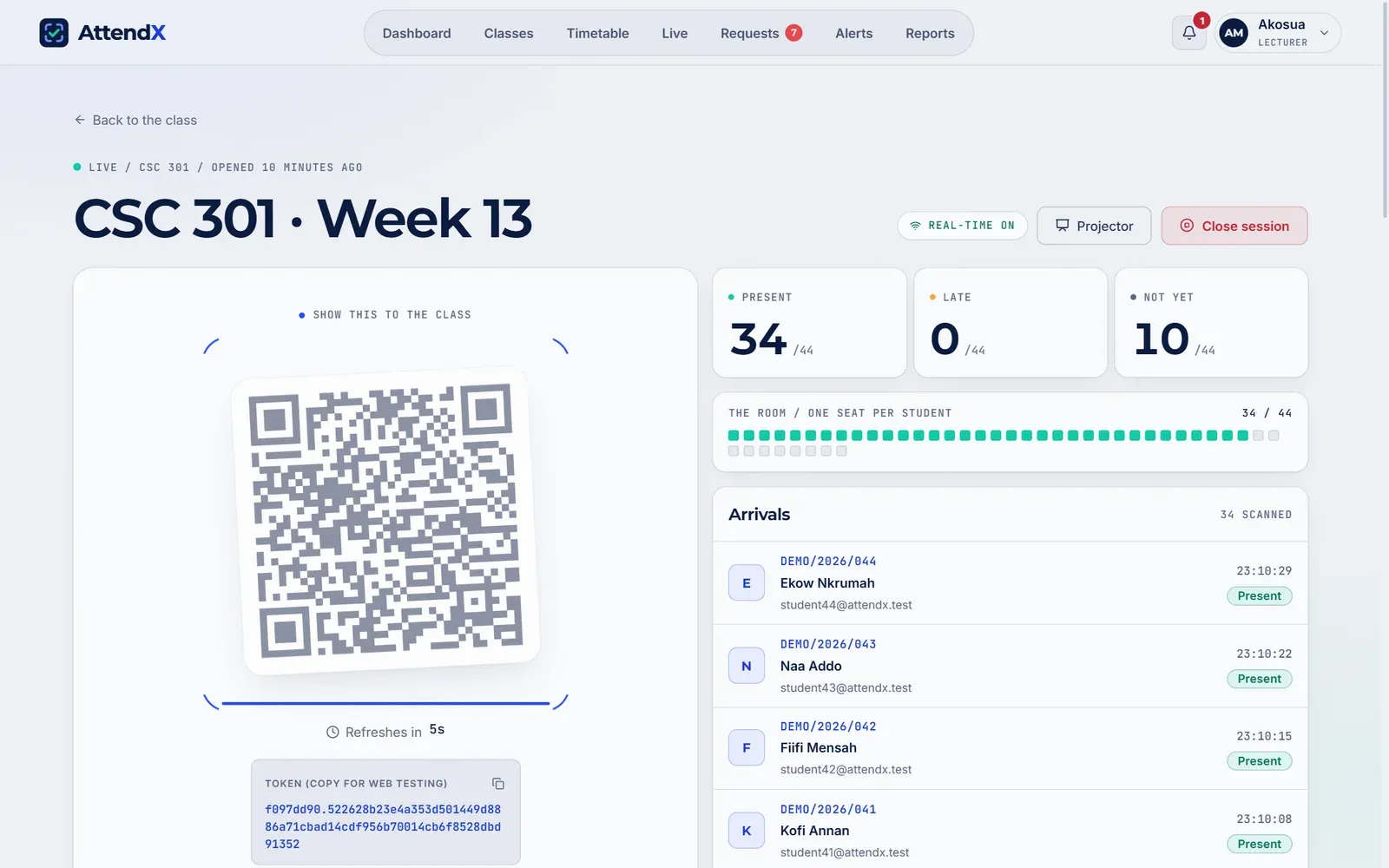
The lecturer opens the session and a QR code goes up on the projector. It changes every five seconds, so a photo of it is out of date almost at once.
02 / 05
A phone scans it
From their seat, a student scans with the app or any phone browser. The scan carries the code, where the phone is, and which phone it is.
03 / 05
Four checks
The code must still be fresh, the phone within the classroom zone, and the phone the one this student registered. The server also watches for one phone marking several students, and tells the lecturer at once.
04 / 05
On the register
The name lands on the lecturer’s live register straight away, over WebSockets. Nobody refreshes anything.
05 / 05
Or it’s refused
If a check fails, the scan is refused, and the attempt is kept. Patterns across refused scans, like repeated scans from outside the room, raise a flag for an admin to review.
Screens
Signed-in screens were captured from a local copy filled with made-up demo data, so no real student or customer appears here.
- , open full size
The live register: the QR on the left changes every five seconds while arrivals stream in on the right. - , open full size
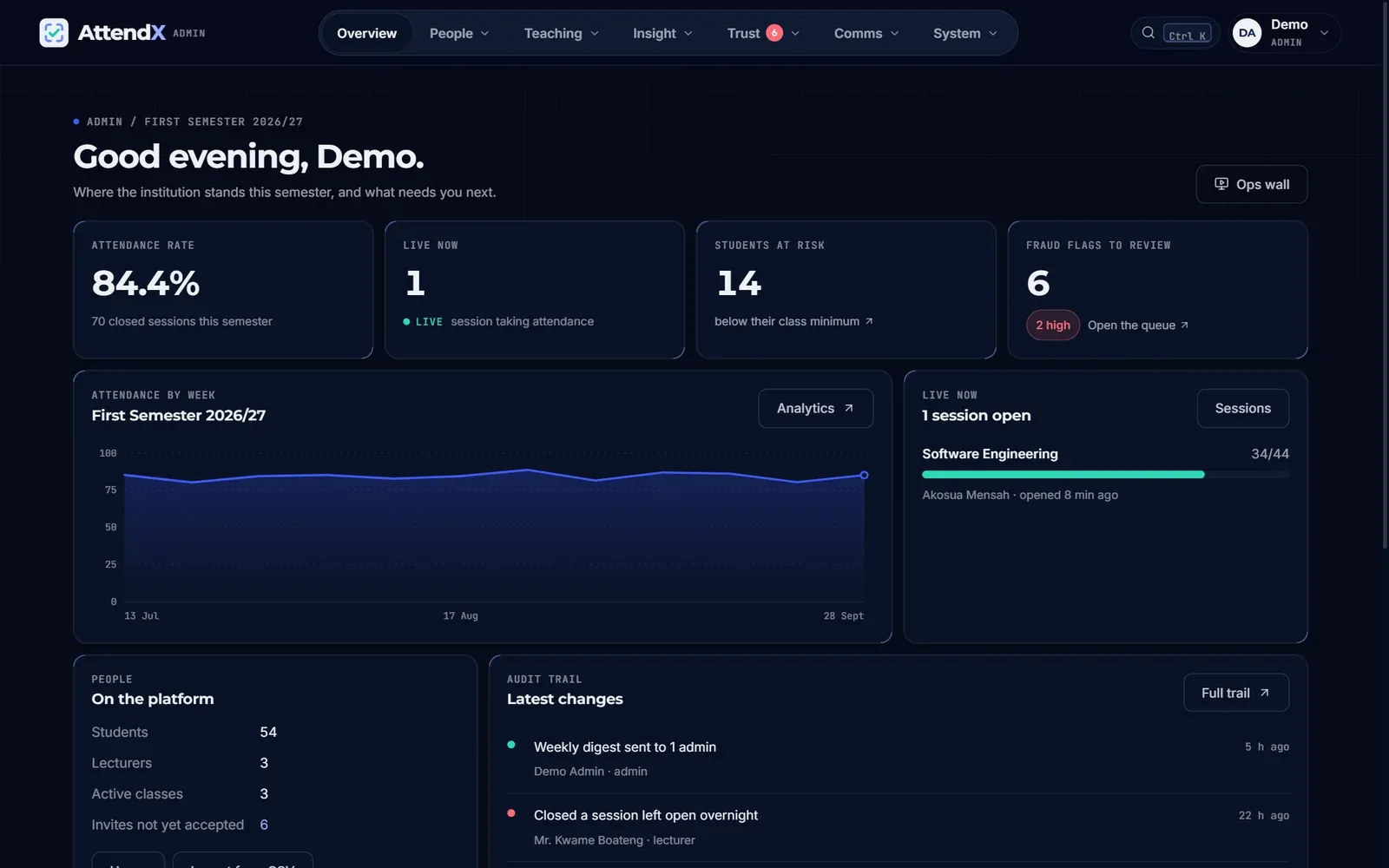
The admin console: where the semester stands, and what needs a decision next. - , open full size
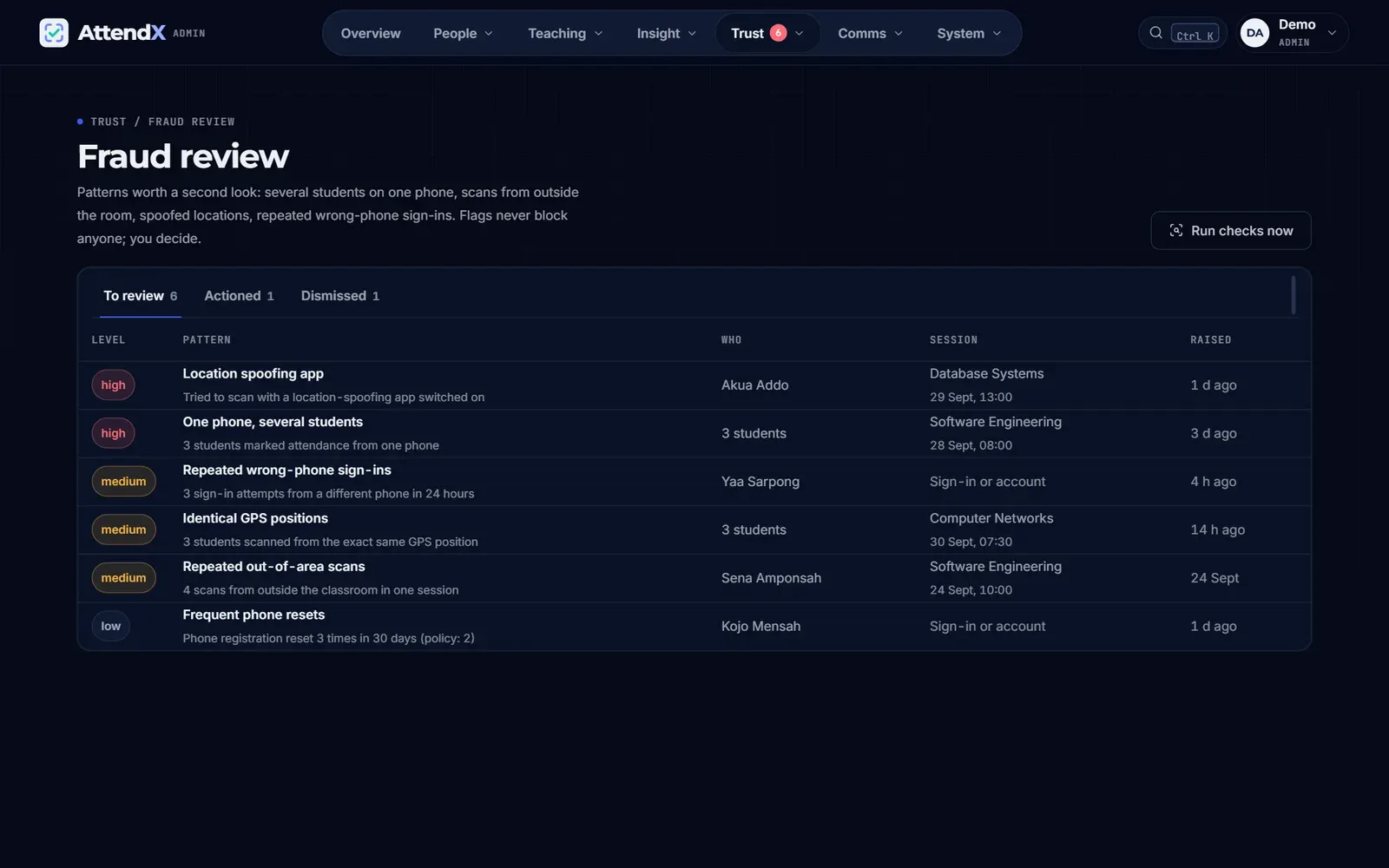
Patterns worth a second look, queued for a person to decide. A flag never blocks anyone by itself. - , open full size
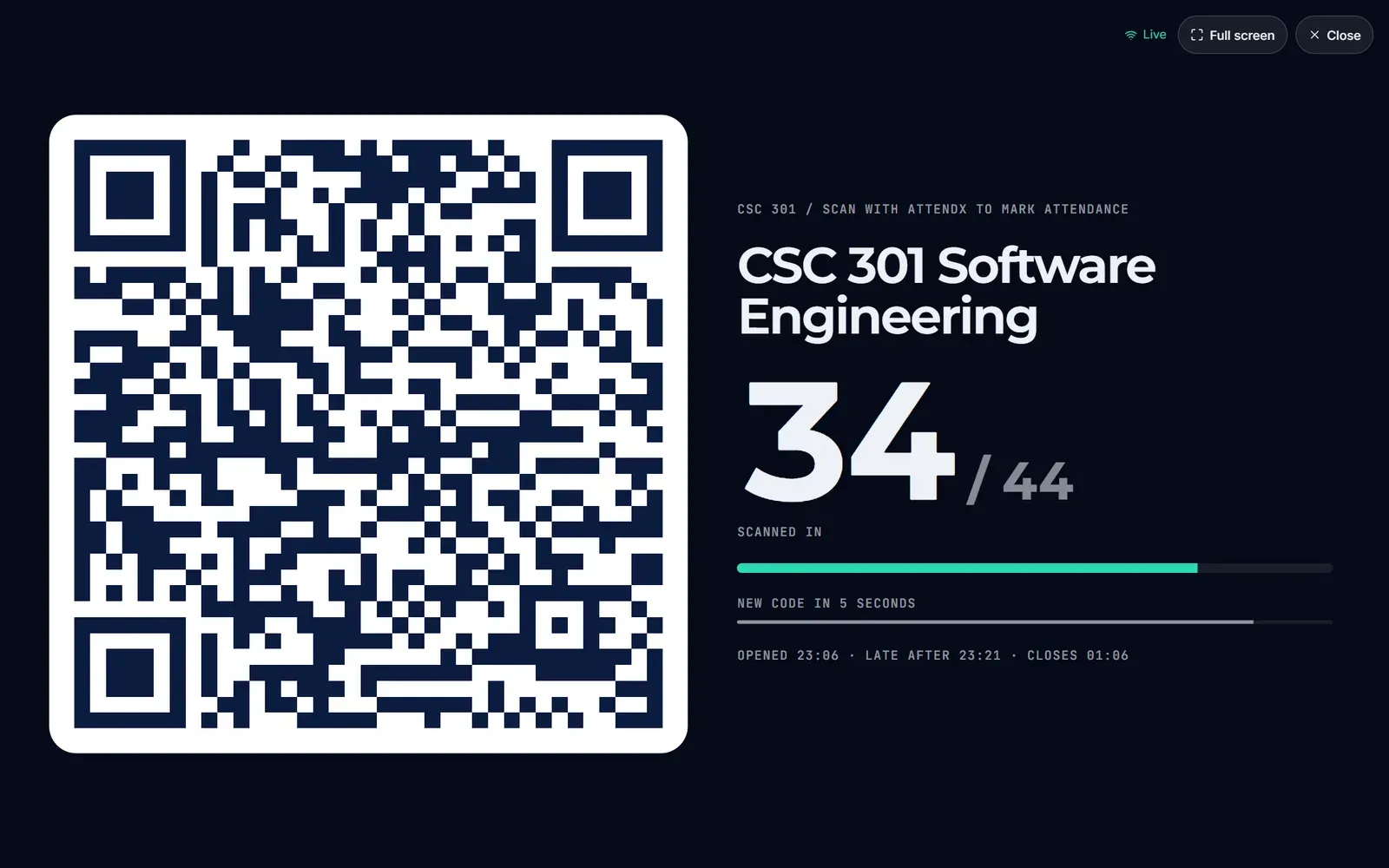
Projector mode shows the code and a count, never names. - , open full size
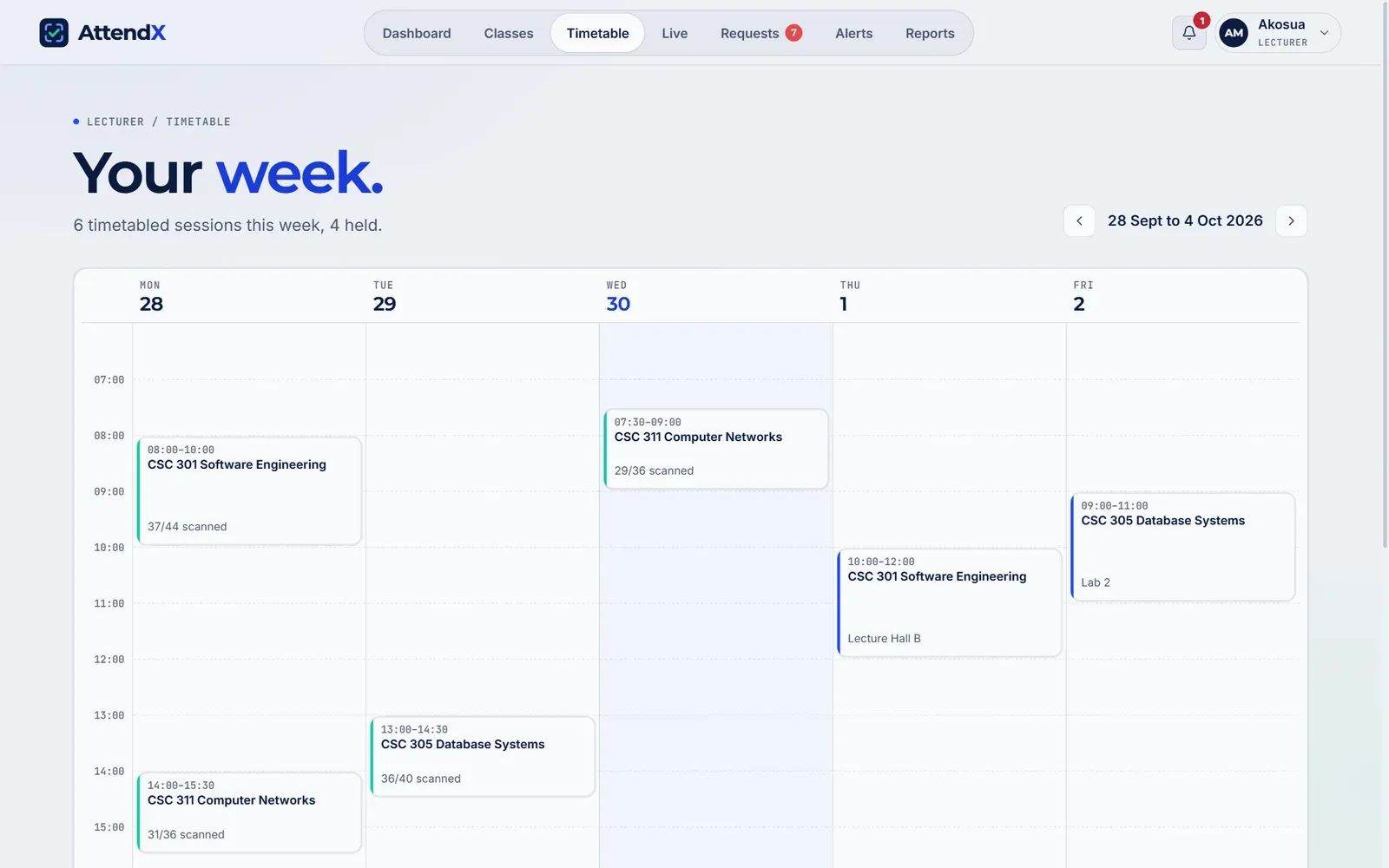
The lecturer's week, with what actually happened at each slot. - , open full size
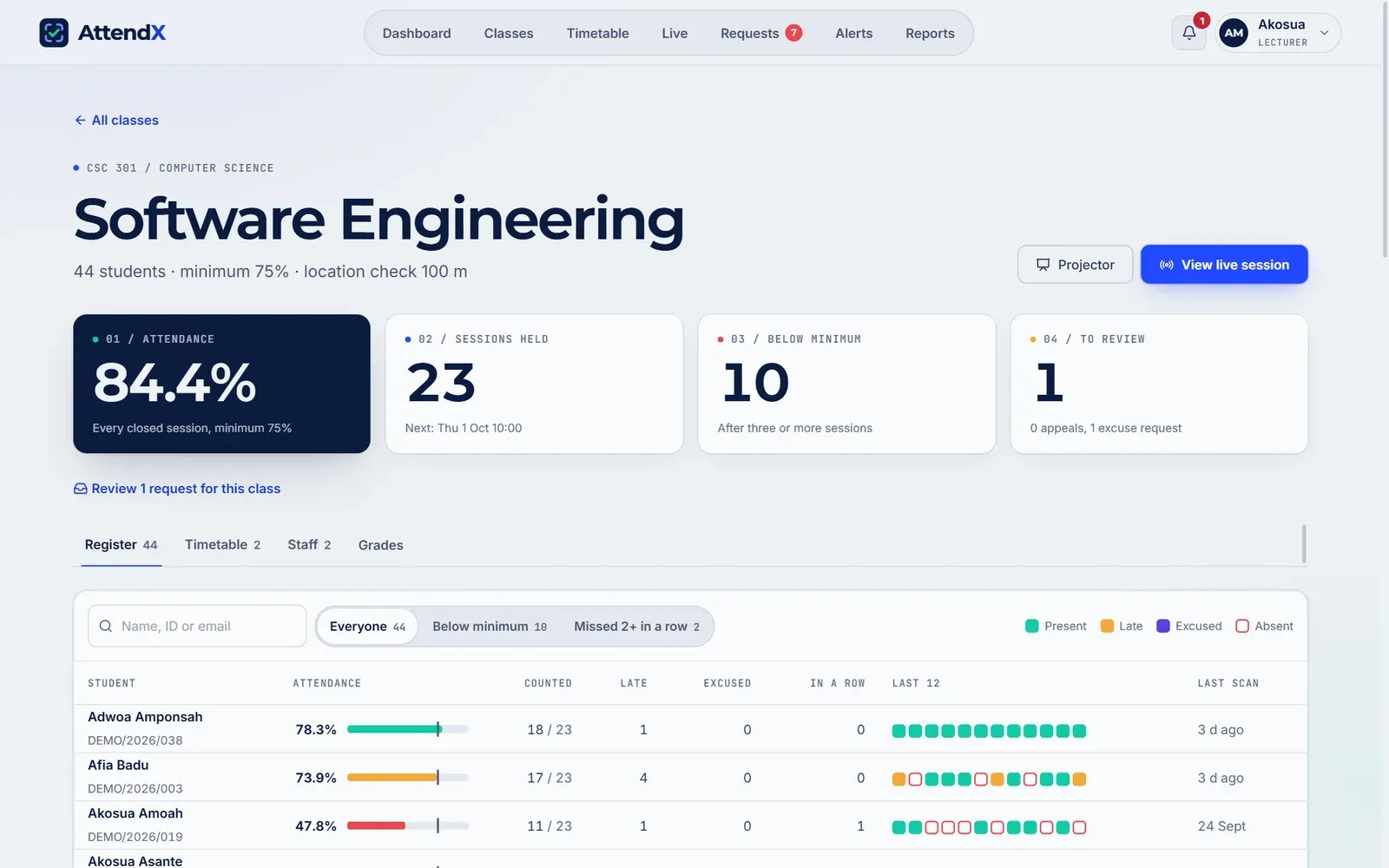
A class page: every student against the minimum, and their last twelve sessions at a glance. - , open full size
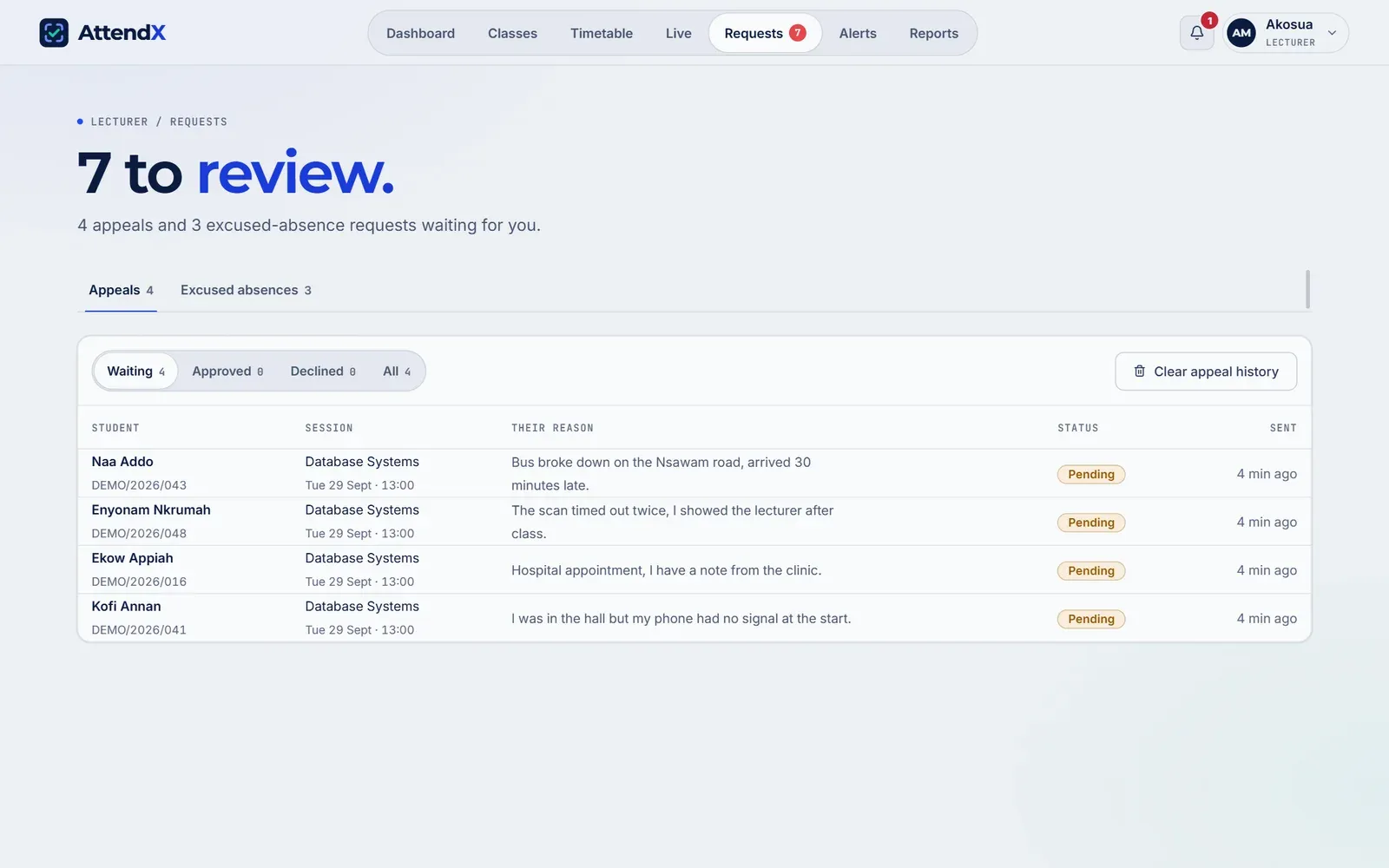
Appeals and excused absences in one queue. - , open full size
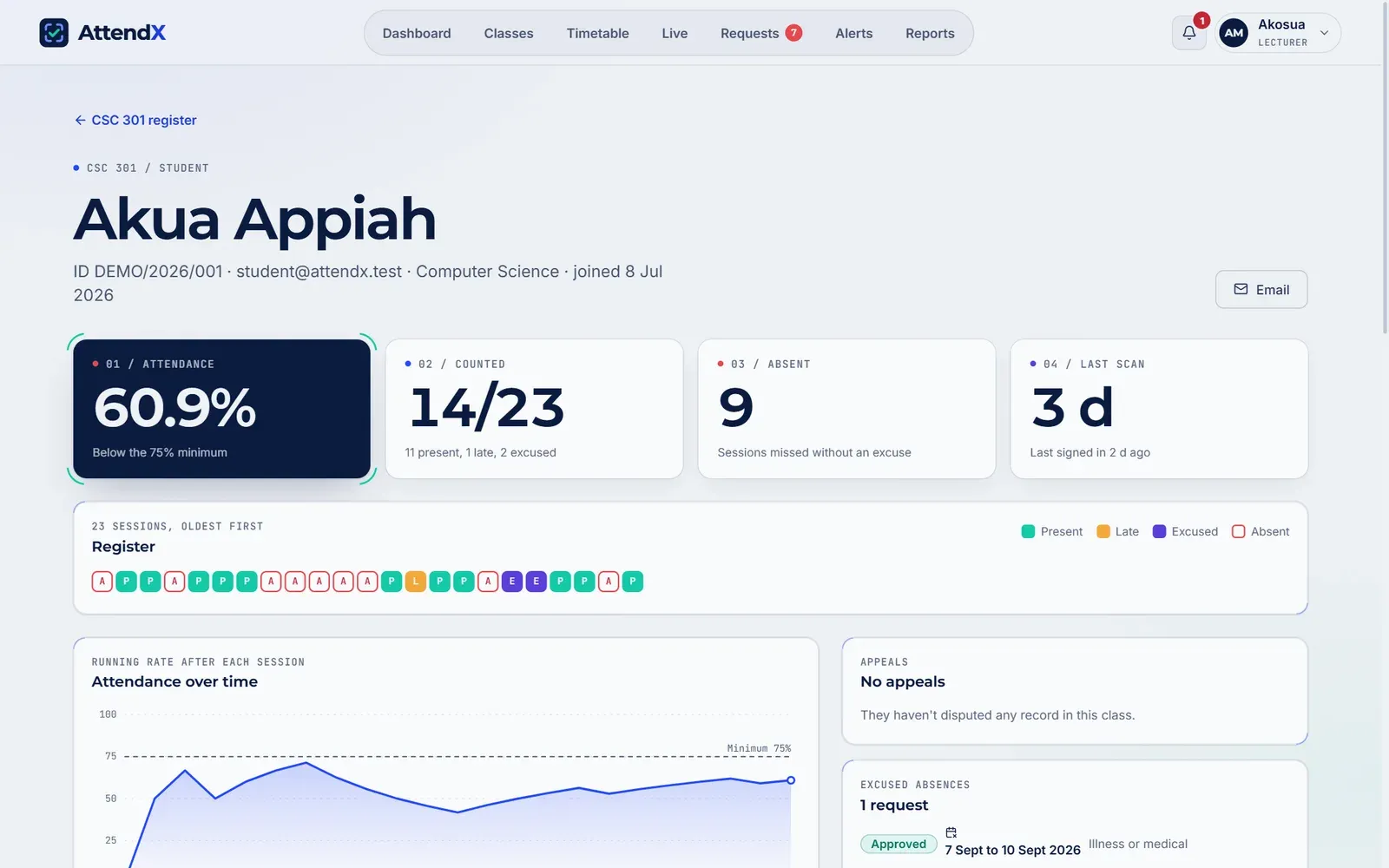
One student's whole record, including the absences that were excused. - , open full size
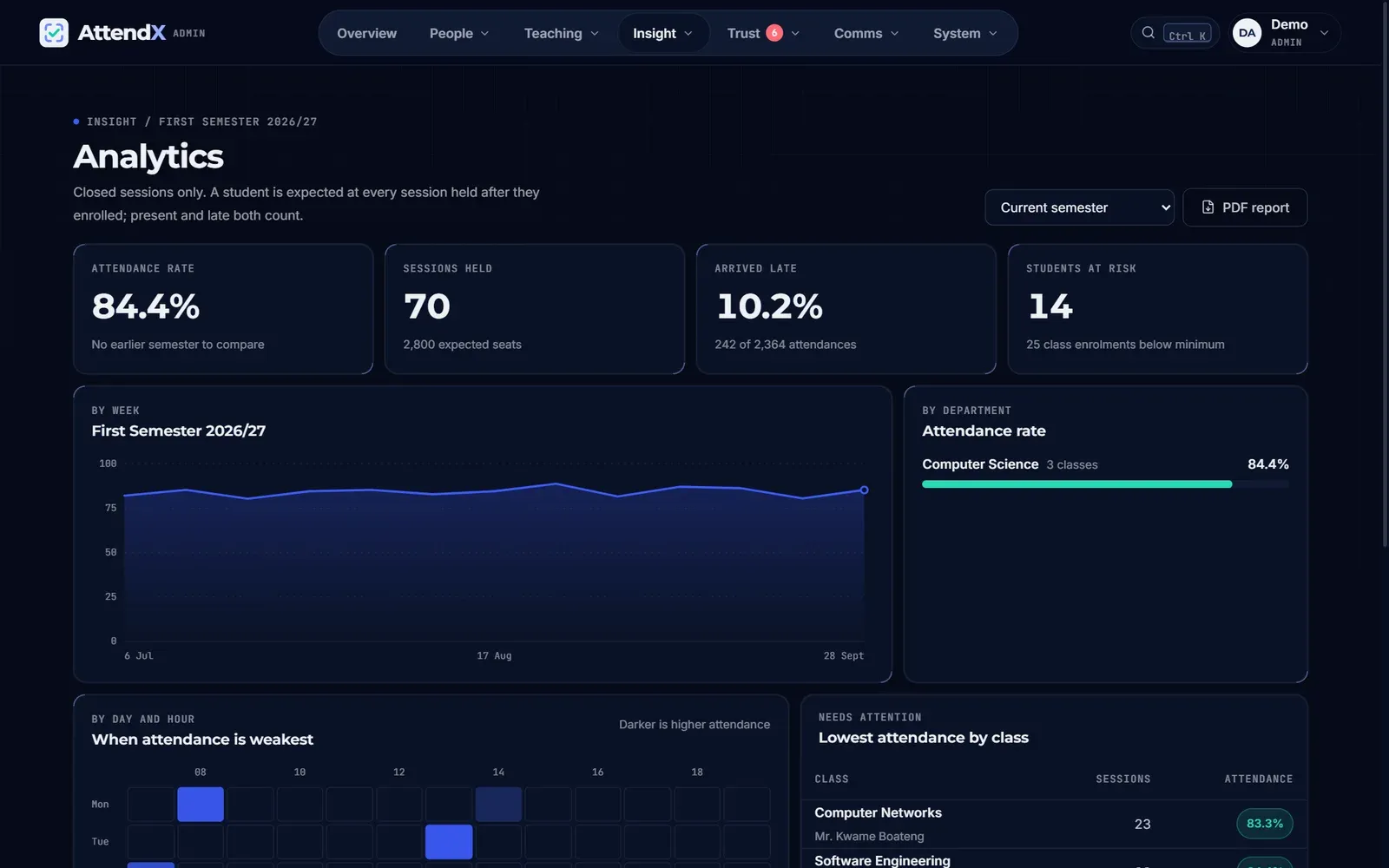
Institution analytics, exportable as a PDF report. - , open full size
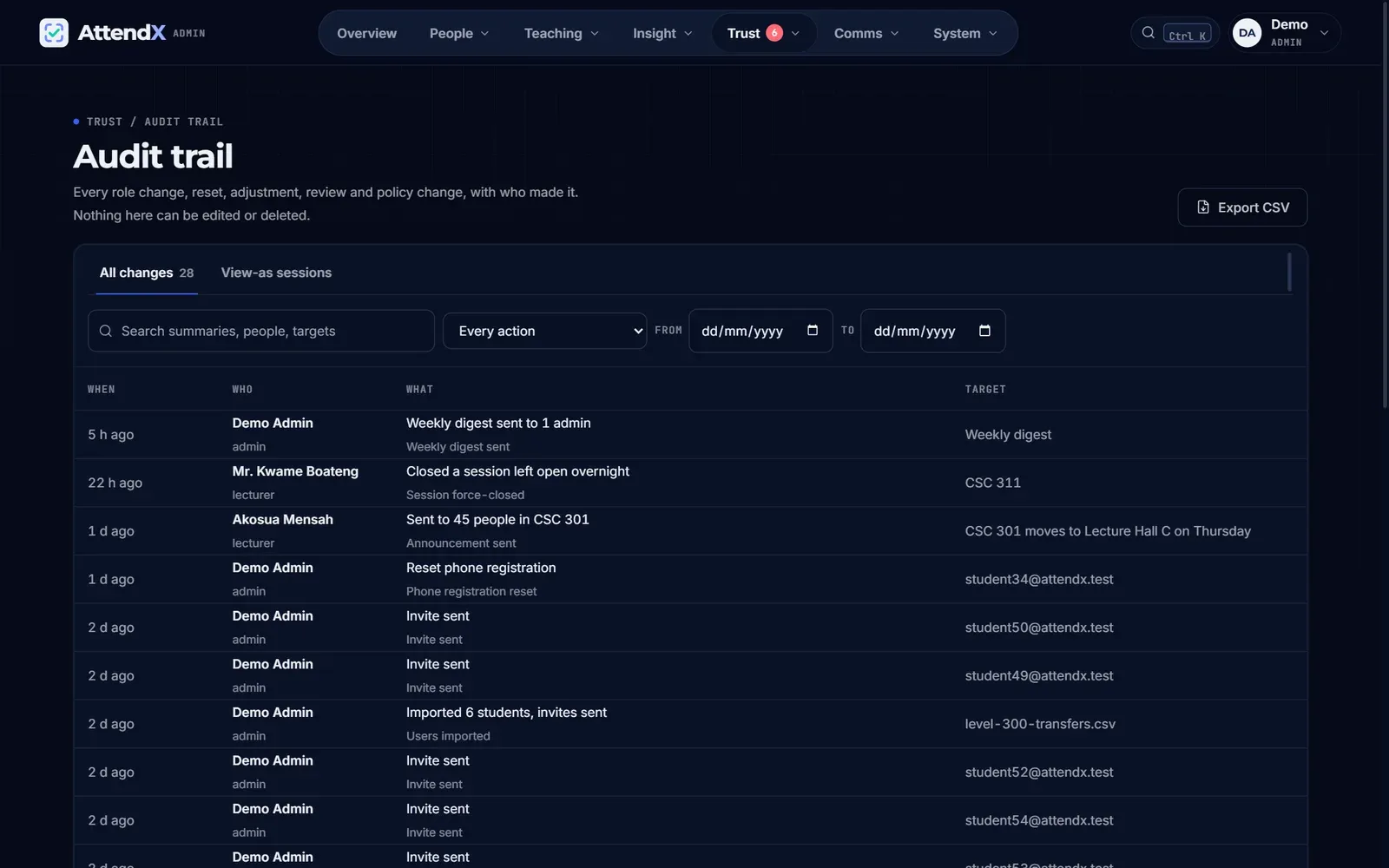
Every sensitive change, with who made it. Nothing here can be edited. - , open full size
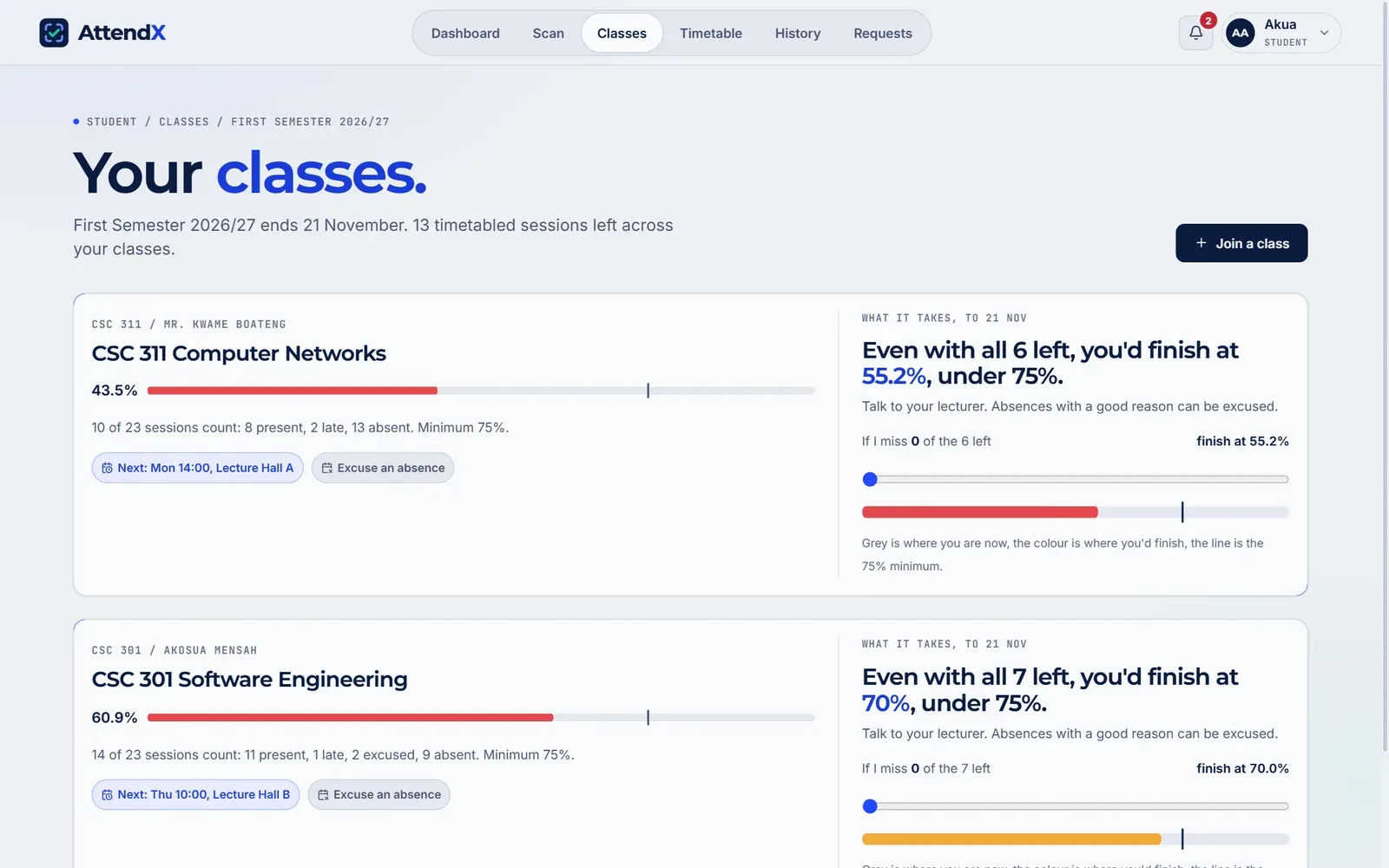
The student planner works from the sessions actually left, and says so when the minimum is out of reach.
Next case study
UrbanPulse
A streetwear store that sells the cloth, not just the clothes.
Have something similar?
Let's talk about what you're building.